Generate Form URL
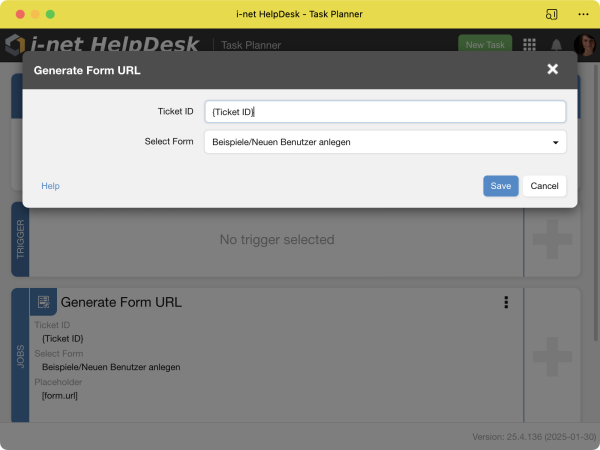
Generating a form URL allows you to dynamically create links for, e.g., forms that modify existing tickets. The options are straightforward:
-
Ticket ID: the ID of the ticket to modify. This can be a placeholder, e.g., from a trigger or after creating a ticket using a QuickTicket.
-
Select Form: a list of available forms from which one has to be selected.
The job produces a new placeholder, [form.url], that can be used in subsequent actions.
Note: The placeholder [form.url] is automatically replaced by the complete URL, including the protocol. If the placeholder is used in a rich text editor, you may be asked whether the URL should be created with a preceding https://. It is essential to select no here, as otherwise the URL will contain the protocol twice.
Integration Samples
Here are some examples of how this job can be used:
-
Sending out an email with a link to a form to gather feedback.
-
Creating an editing step with information about a form that allows creation of additional, topic-specific tickets
Complex Sample
If you'd like to link a specific form to a ticket, including the option for the user to just click the form URL from the ticket details, there is some additional work to be done, since URL ticket fields are read-only:
-
Create a new ticket field in the configuration of the Type Text in which the Form URL is being stored.
-
Create a new ticket field in the configuration of the Type Link. In the link field, reference the previous field using
{text-form-shortname} -
Create a Task Planner Task with the Generate Form URL Job and a Set Ticket Field action. In the Action, select your Text-typed ticket field and insert the
[form.url]placeholder.
© Copyright 1996 - 2026, i-net software GmbH; All rights Reserved. Imprint
